How to Create an Invoice
Create a clear client invoice: your details, their details, unique number, line items, correct total, and how to pay — then send a PDF. Read one step at a time. Start with preflight. Overdue? Late payment. Deposit? Deposit or partial. Tax unsure? Tax uncertainty.
Tips for reading this guide
- One step at a time. Read the green caption, the Why line, then the bullets.
- Move on when the green done line is true — then go to the next step.
- Unique invoice numbers — never reuse.
- Client overdue? Late payment.
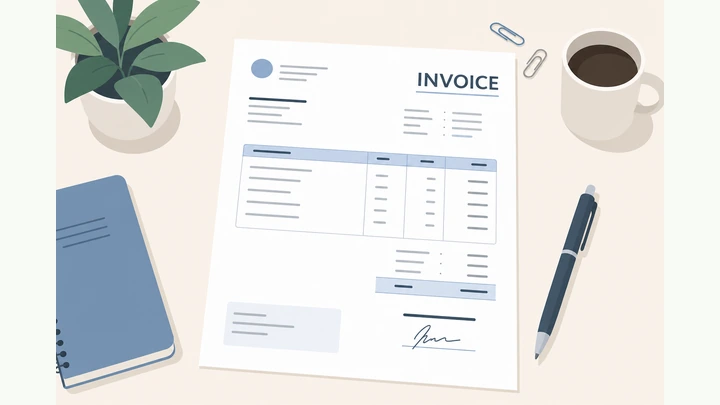
Things You'll Need
- Client name and email
- Work description and rates
- Your business contact details
- Word/Docs template, spreadsheet, or invoicing app
- PDF export
- Simple invoice tracker (sheet is fine)
Where are you stuck?
Start hereHeader → bill-to → number/dates → lines → total → pay info → send
Preflight — gather client name and email, what you delivered, your rate or fixed fee, hours/qty, and your business contact details.
Client info · work description · rates/qty · your contact details.
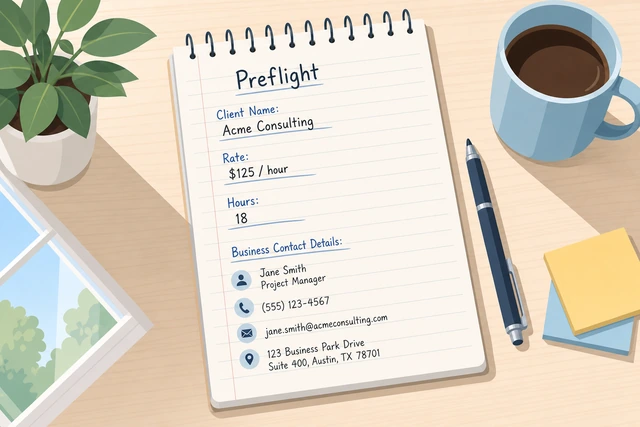
Invoices stall when you invent numbers mid-document instead of copying facts.
- Write the client’s legal/trade name and email.
- List deliverables or dates worked.
- Note unit price or fixed project fee.
- Have your address, email, and phone ready.
You can fill every money and identity field without guessing.
Choose a tool: a Word/Google Docs invoice template, a spreadsheet, or a simple invoicing app.
Pick template, spreadsheet, or invoicing app · open a blank invoice.
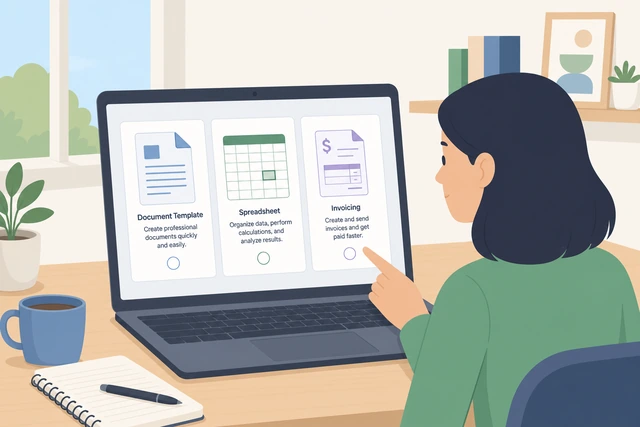
Any clear tool works; switching mid-invoice causes numbering mistakes.
- Open your chosen tool.
- Start from a clean template labeled Invoice.
- Turn on auto-save.
A blank invoice document is open and saving.
Fill the seller header: your name or business name, address, email, and phone (logo optional).
Your business name + contact block at the top.
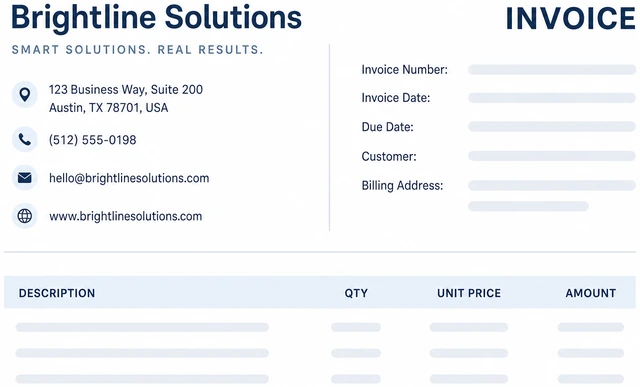
Clients need to know who to pay and how to reply with questions.
- Add your business/legal name.
- Add mailing address if you use one.
- Add email and phone.
- Optional logo — keep it small.
Anyone reading the top knows who issued the invoice.
Add the bill-to block: client name, company, and email or address.
Bill-to client name + email/address.
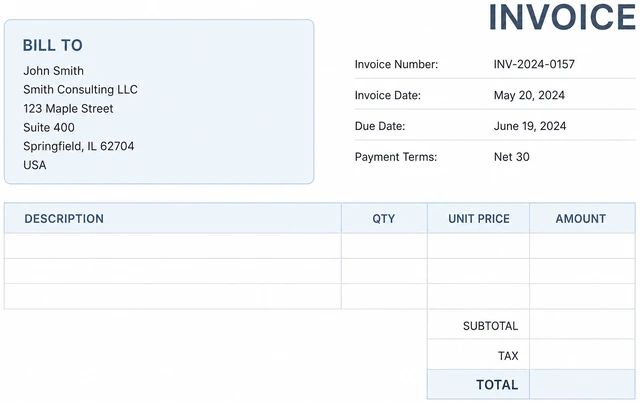
Wrong client name delays payment and breaks accounting on their side.
- Copy the client name carefully.
- Add company name if different from contact.
- Add the email that receives invoices.
Bill-to matches the client who owes the money.
Assign a unique invoice number, the issue date, and a due date.
Unique invoice # · issue date · due date.
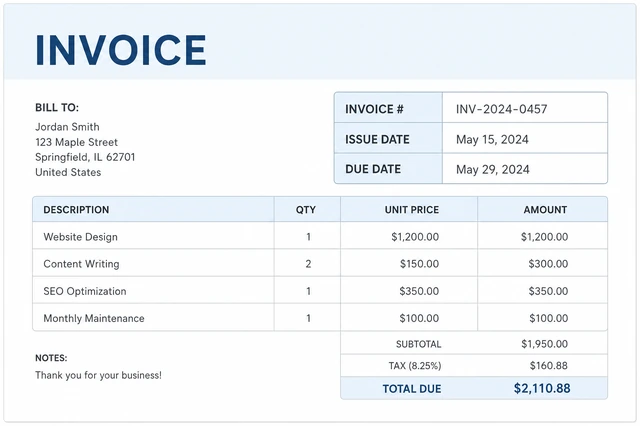
Duplicate numbers confuse bookkeeping; missing due dates invite “I’ll pay someday.”
- Use a simple sequence (INV-1001…) and never reuse.
- Set today’s issue date.
- Set due date (e.g., Net 15/30) from your agreement.
- Need a deposit invoice instead? → Deposit or partial.
Number and both dates are filled and unique.
Add line items: clear description, quantity, rate, and line amount.
Line items · clear descriptions · qty × rate = amount.
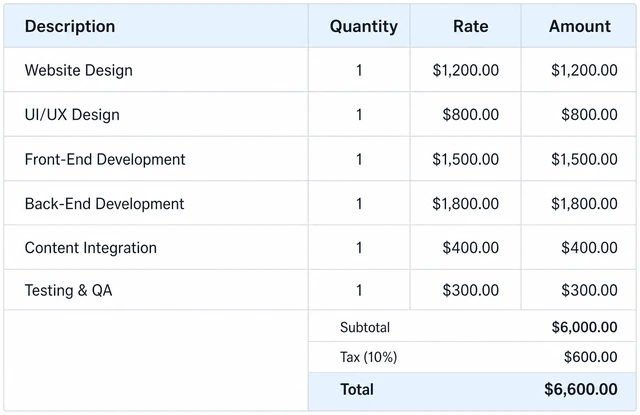
Vague lines (“services”) cause disputes; clear lines speed payment.
- One row per deliverable or time block.
- Write what was done in plain language.
- Enter qty and rate.
- Check each line amount equals qty × rate.
Every line has description, qty, rate, and correct amount.
Calculate subtotal, add tax only if required, and show the total due.
Subtotal · tax if required · total due.
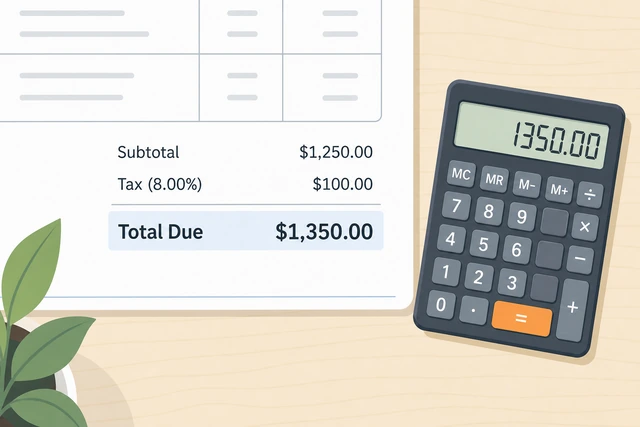
Wrong totals destroy trust even when the work was perfect.
- Sum line amounts = subtotal.
- Add tax only when you know you must.
- Unsure about tax? → Tax uncertainty.
- Show a single Total Due figure clearly.
A calculator or spreadsheet confirms the total matches the lines.
Write payment terms and exact payment methods (bank details, card link, check address).
Payment terms · exact how-to-pay instructions.
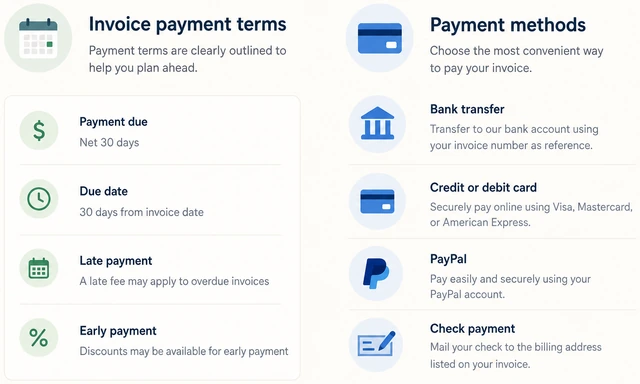
Clients cannot pay what they do not know how to send.
- Restate Net days / due on receipt.
- List accepted methods.
- Include account details or payment link carefully.
- Say what reference to include (invoice number).
- If this is a chase for an old unpaid invoice → Late payment.
A stranger could pay using only the invoice text.
Add optional notes: PO number, project name, thank-you line — keep them short.
Optional PO/project notes · keep short.
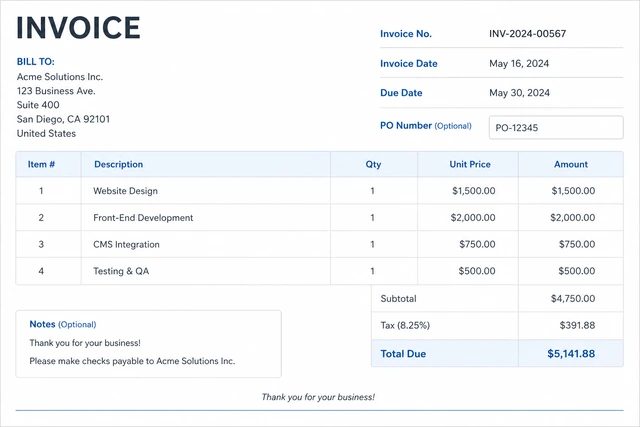
Required PO numbers unlock payment at many companies; fluff does not.
- Add PO if the client gave one.
- Add project name if helpful.
- Skip long essays.
Any required PO/project fields are present.
Proofread names and math, export a PDF, and name the file Client_InvoiceNumber.
Proofread · export PDF · clear filename.
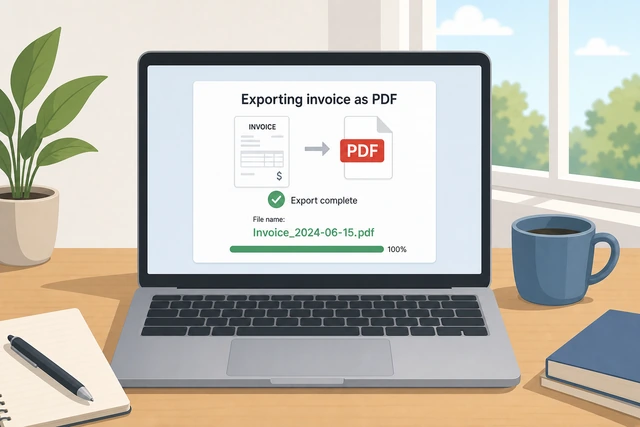
Editable docs get altered; PDFs travel better through AP departments.
- Check spelling of client and totals aloud.
- Export/save as PDF.
- Filename like Acme_INV-1001.pdf.
- Keep the editable source too.
You have a PDF with a clear name and correct totals.
Send to the client’s accounts email, save a copy, and log the invoice in your tracker.
Send · save copy · log in tracker.
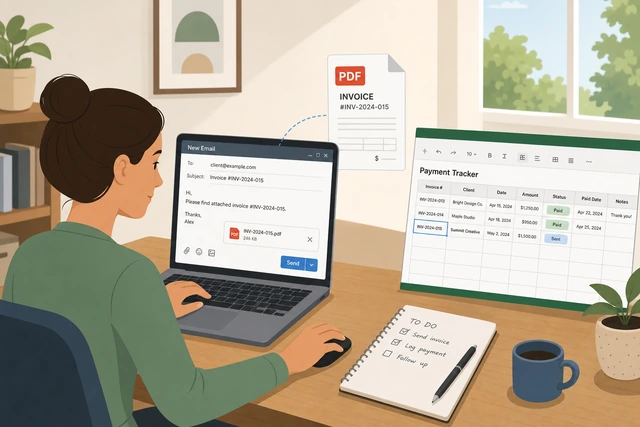
Untracked invoices are how freelancers forget who owes what.
- Email the PDF (or upload to their portal).
- CC yourself.
- Log number, client, amount, due date, sent date.
- Store the PDF in a dated folder.
Client has the invoice and your records show it as sent.
Late paymentRemind politely on a schedule — then escalate
Confirm the original due date passed and the invoice was delivered.
Confirm overdue + was delivered.
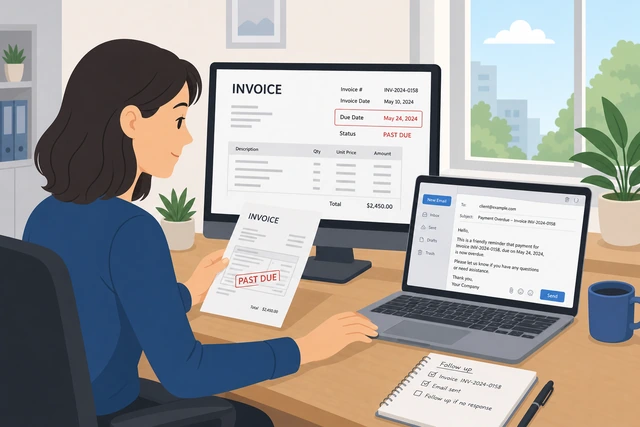
Chasing a never-received email looks hostile.
- Check sent mail.
- Check portal status.
- Confirm due date.
You know it is truly overdue and was sent.
Send a short polite reminder with the PDF attached again and the amount due.
Polite reminder + PDF + amount due.
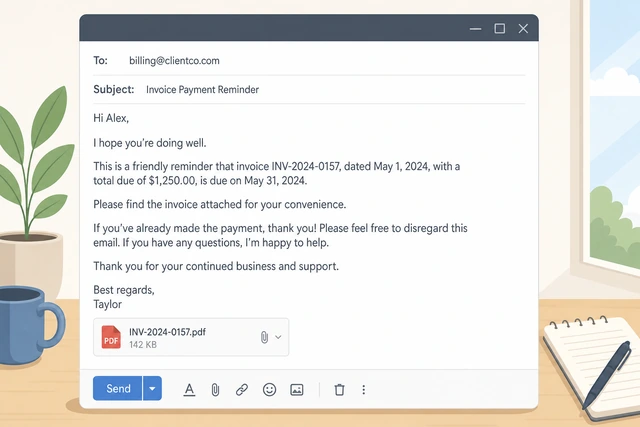
Assumes good faith first.
- Subject: Invoice INV-# reminder.
- One short paragraph.
- Reattach PDF.
Reminder is sent.
Wait your agreed gap (often 3–7 days), then send a firmer second notice.
Wait · then firmer second notice.
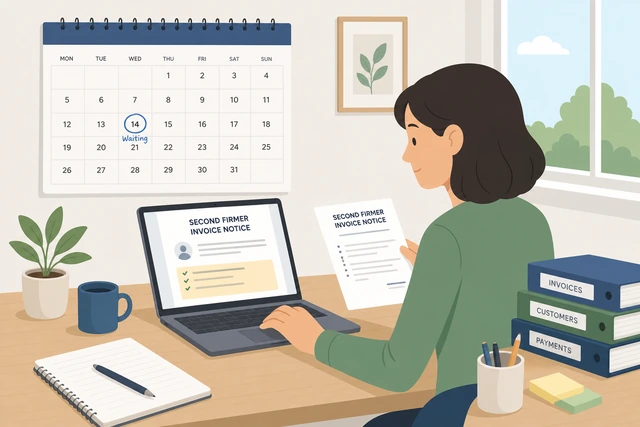
Daily pings annoy; silence also fails.
- Set a reminder.
- Second note cites due date and next step.
Second notice sent or scheduled.
Apply late fees only if your contract/invoice terms already allow them.
Late fees only if pre-agreed.
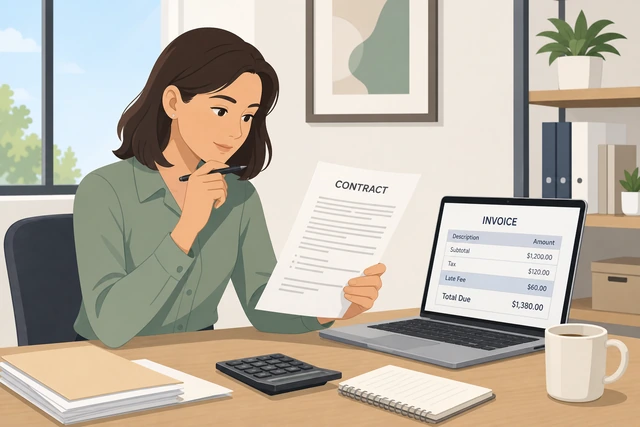
Surprise penalties create disputes and chargebacks.
- Read your terms.
- If allowed, issue a short addendum or revised note.
- If not allowed, do not invent fees.
Fee decision matches the contract.
Escalate: pause new work, involve their AP manager, or seek professional collections/legal advice.
Pause work · escalate AP · pro help if needed.
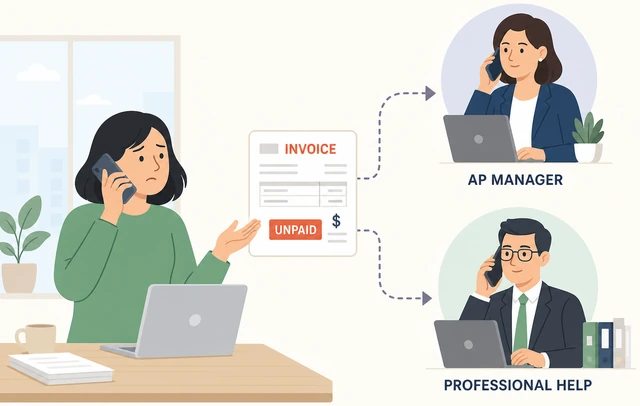
Endless free work funds nonpayers.
- Stop new scope.
- Ask for AP contact.
- Get advice for large sums.
You have an escalation path underway.
Deposit or partial invoiceInvoice what is due now — track the remainder
State clearly this invoice is a deposit/partial, not the full project total.
Label deposit/partial clearly.
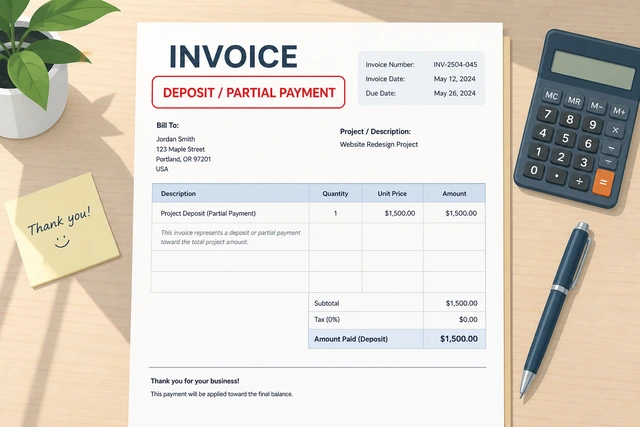
Clients mistake partials for final bills.
- Title: Deposit Invoice.
- Note % or phase.
Document says it is not the final total.
Line-item the deposit amount or first milestone only.
Only the amount due now on the lines.
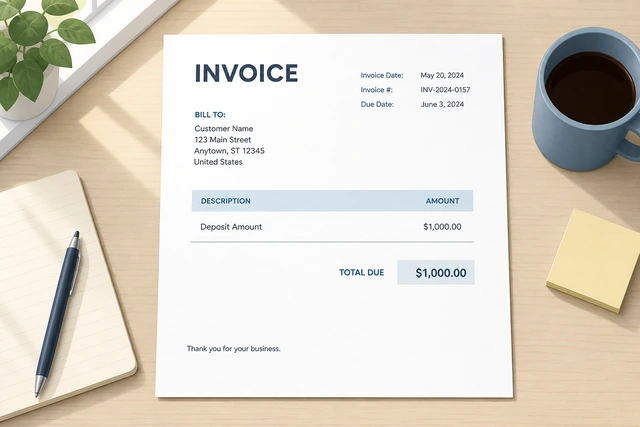
Mixing future work confuses AP.
- One clear deposit line.
- Optional note of remaining balance.
Total due equals the deposit only.
On the notes, show remaining balance and when it will be invoiced.
Notes show remaining balance + timing.
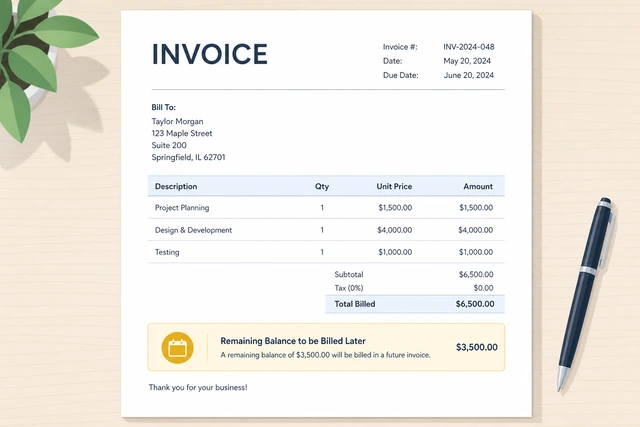
Transparency prevents “I already paid everything” later.
- Write remaining $.
- Write next invoice trigger.
Remaining balance is documented.
Use a distinct invoice number; never reuse the final invoice number.
Unique number for deposit vs final.
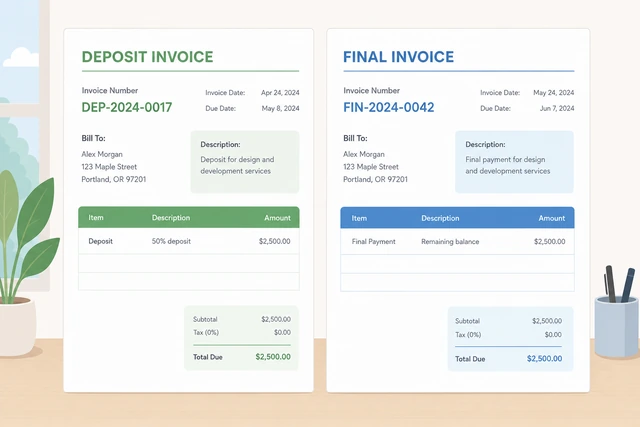
Reused numbers break accounting.
- INV-1001 deposit.
- INV-1002 final later.
Numbers are distinct.
When the project finishes, send a final invoice referencing the deposit paid.
Final invoice credits deposit paid.
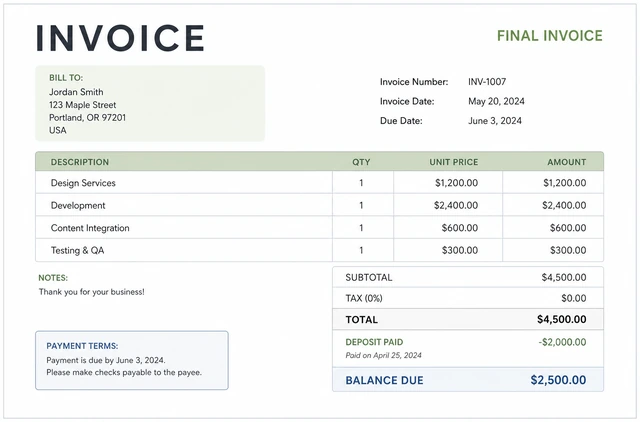
Shows balance due after credit.
- Line: less deposit paid.
- New total due.
- Reference deposit invoice #.
Final bill math credits the deposit.
Tax uncertaintyDo not invent tax rates — verify first
If you are unsure whether to charge sales tax/VAT, leave tax at zero temporarily and flag it.
Do not guess a tax rate.
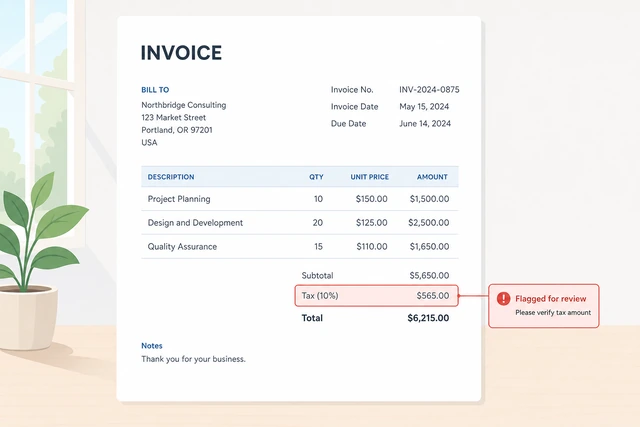
Wrong tax creates legal and client problems.
- Subtotal only for now.
- Add a note: tax TBD pending review.
No invented tax percentage appears.
Check whether your location and the client’s location require you to collect tax for this service.
Check jurisdiction rules for your service.
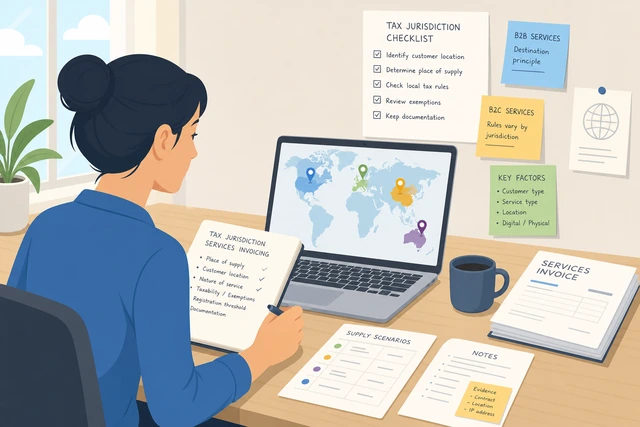
Rules differ by place and service type.
- Read official guidance or your registration docs.
- Note nexus if relevant.
You know whether tax might apply at all.
Ask an accountant or tax advisor for the rate and how to show it on invoices.
Ask a professional for rate + display format.
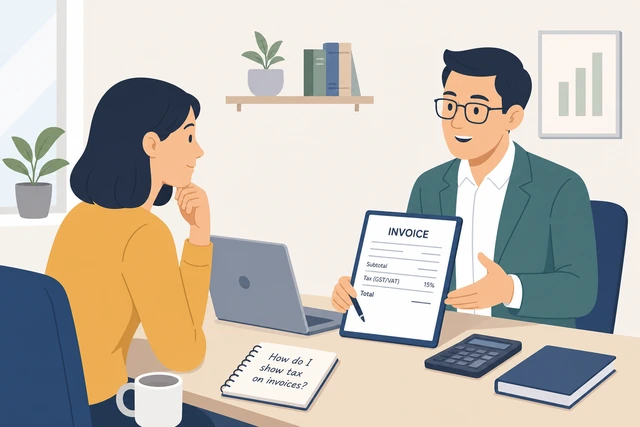
One correct setup beats years of DIY errors.
- Email your CPA/bookkeeper.
- Save their answer.
You have advice or an appointment.
When confirmed, issue a revised invoice or credit/rebill rather than silently editing a paid PDF.
Revise properly · do not silent-edit paid invoices.
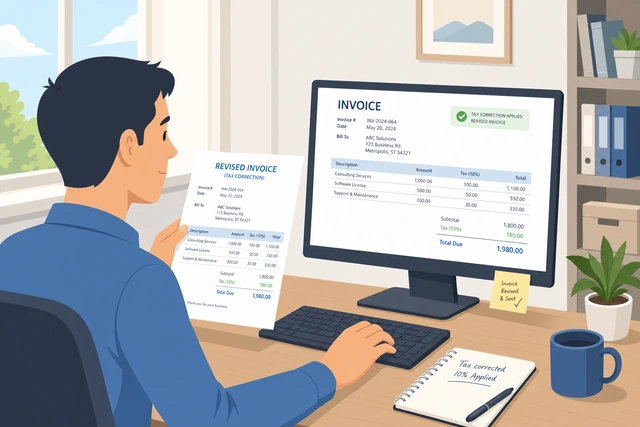
Audit trails matter.
- New invoice or credit note.
- Explain the change briefly.
Correction is documented.
Register for tax accounts before you scale if required — do not wait until year-end panic.
Register if required · before scale.
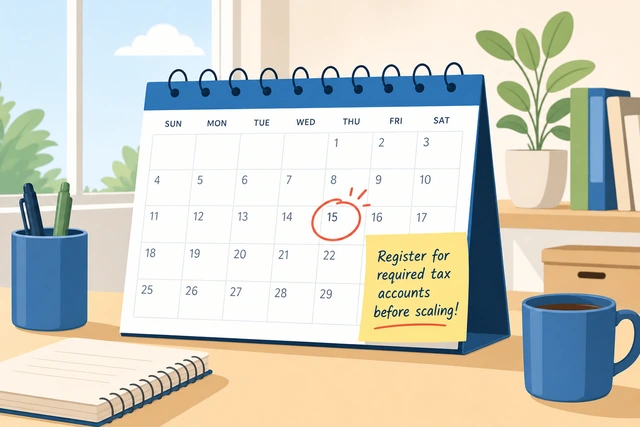
Late registration penalties hurt.
- Check registration thresholds.
- Set a reminder.
Compliance plan exists.
When This Doesn't Work
- Large companies may require their portal forms instead of your PDF — follow their process.
- Some countries mandate e-invoicing formats — use compliant software when required.
- This guide is operational, not tax or legal advice.
Warnings
- Never reuse invoice numbers.
- Do not invent tax rates.
- Do not share full bank details on public social posts — send on the invoice securely.
- Keep records for your local retention rules.
Tips
- Send invoices the same day work is accepted — delay predicts late pay.
- Put the invoice number in the email subject.
- A one-page invoice gets paid faster than a novel.
FAQ
What should an invoice number look like?
Any unique sequence you control, like INV-1001, never reused.
Do I need an LLC to invoice?
Many freelancers invoice as individuals; follow your local business registration rules.
PDF or editable Word?
Send PDF to clients; keep an editable master for yourself.
Comments
Questions, corrections, and what worked for you. Comments are reviewed before they appear.