How to Balance a Checkbook
Reconcile your register to the bank statement: check off cleared items, list outstanding, then adjust until the difference is $0. Read one step at a time. Start with preflight. Still off? Will not balance. Stale check? Lost check. App only? App-only.
Tips for reading this guide
- One step at a time. Read the green caption, the Why line, then the bullets.
- Move on when the green done line is true — then go to the next step.
- Use statement ending balance — not Available.
- Stuck off by dollars? Will not balance.
Things You'll Need
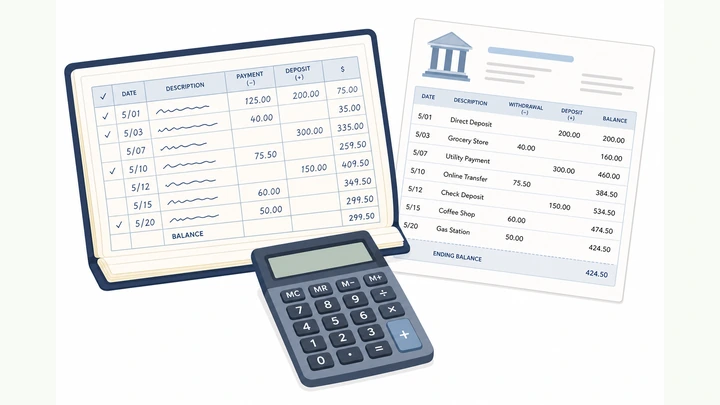
- Latest bank statement (PDF or paper)
- Check register, notebook, or transaction app with running balance
- Calculator or spreadsheet
- Pen
- Optional: highlighter for cleared items
Where are you stuck?
Start hereStatement + register → adjusted balance → $0 difference.
Preflight — get the latest bank statement (or statement PDF), your check register or tracking app, a calculator, and a pen.
Statement · register/app · calculator · pen.
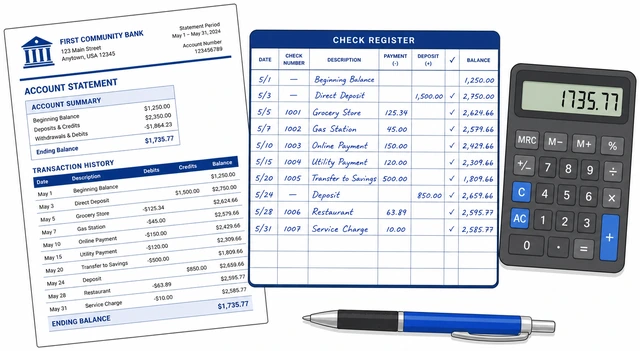
Balancing needs the statement ending balance, not the live “available” balance which excludes holds differently.
- Download or open the latest statement period.
- Open your paper register or transaction list with a running balance.
- Have a calculator or spreadsheet ready.
- App-only with no paper register? → App-only register.
You can point to statement ending balance and your register.
Write the statement’s ending balance at the top of a simple reconcile worksheet.
Copy statement ending balance onto your worksheet.
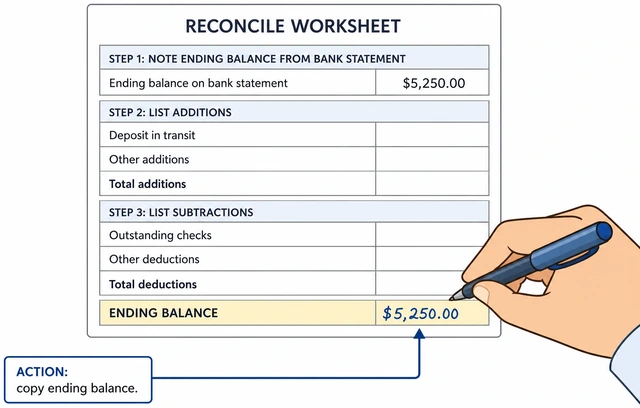
Every reconcile starts from the bank’s official period-end number.
- Find Ending balance / Closing balance on the statement.
- Write it clearly labeled Statement ending.
- Do not use Available balance from the app home screen.
Worksheet shows the statement ending balance.
In your register, check off every deposit/credit that also appears on the statement.
Check off cleared deposits/credits that match the statement.
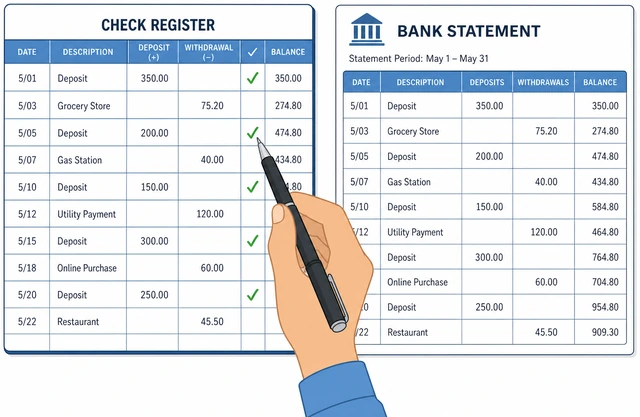
Cleared items are already in the bank’s ending balance — you must not add them again later.
- Match amounts and dates roughly.
- Tick each matched deposit in the register.
- If the bank shows a deposit you never entered, add it to the register now.
All statement deposits are ticked in the register (or newly entered).
Check off every check, debit, fee, and withdrawal that appears on the statement.
Check off cleared checks, debits, and fees.
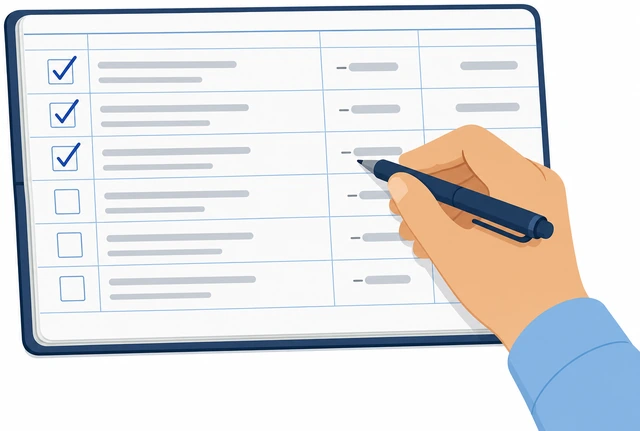
Forgotten bank fees are the most common “I’m $12 off” mystery.
- Match check numbers and amounts.
- Tick ATM, card, and fee lines that appear.
- Enter any bank fee missing from your register.
All statement debits/fees are ticked or newly entered.
List outstanding deposits: in your register but not on this statement; total them and add to the worksheet.
List + total outstanding deposits · add to worksheet.
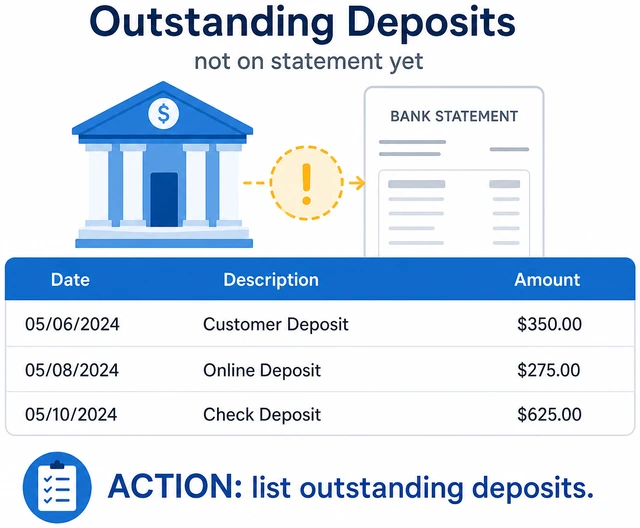
Money you recorded that the bank has not posted yet still belongs in your books.
- Scan unticked deposits in the register.
- Write each on the worksheet.
- Add them up; write Outstanding deposits total.
Outstanding deposits total is on the worksheet.
List outstanding checks/debits not on the statement; total them to subtract.
List + total outstanding checks/debits · ready to subtract.
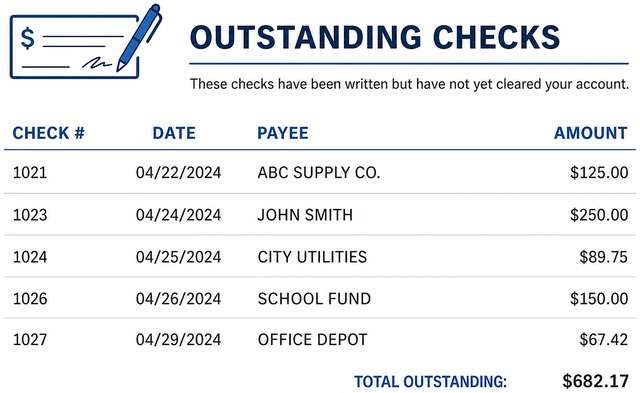
Uncleared checks still reduce your true spendable picture once they clear.
- Find unticked checks and scheduled debits.
- List amounts.
- Total Outstanding checks/debits.
- Check outstanding for months? → Lost or stale check.
Outstanding debits total is on the worksheet.
Compute adjusted statement: ending balance + outstanding deposits − outstanding debits.
Ending + outstanding deposits − outstanding debits.
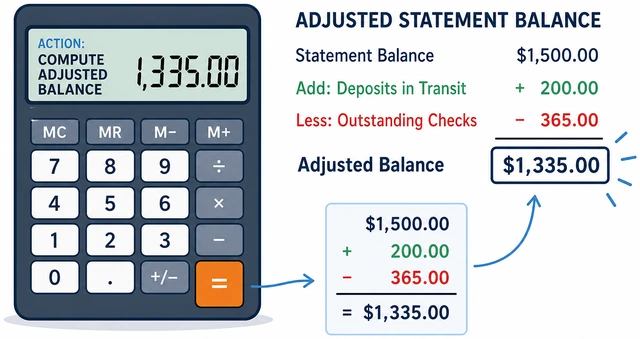
This adjusted number is what your register should equal if both are complete.
- Start with statement ending.
- Add outstanding deposits.
- Subtract outstanding debits.
- Label the result Adjusted statement.
You have one Adjusted statement total.
Compare Adjusted statement to your register’s current balance.
Compare adjusted statement vs register balance.
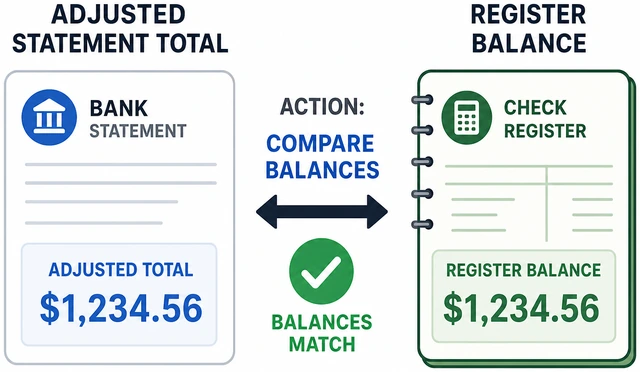
Equal means balanced; any gap is a findable error, not a vibe.
- Write register balance next to adjusted statement.
- Subtract to get the Difference.
- If Difference is $0, skip to Step 9.
You know the dollar difference (including $0).
If they differ, hunt fees, duplicates, and math errors until the difference is $0.
Find fees / duplicates / math errors · correct until $0.
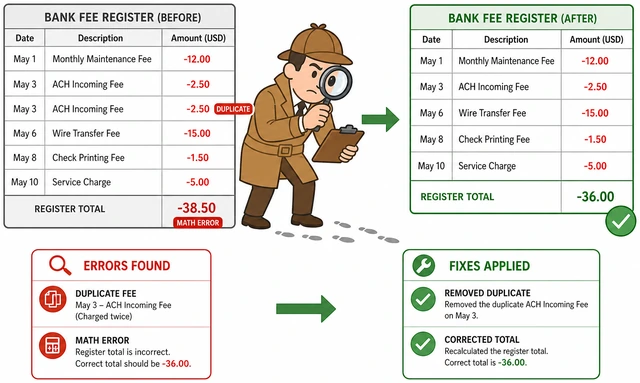
Most gaps are one missing fee or one transposed digit — not “the bank being wrong.”
- Search the statement for unticked fees.
- Look for duplicate register entries.
- Re-add outstanding lists.
- Correct the register, then recompute.
- Still off? → Will not balance.
Difference is $0 after corrections.
Write the reconcile date and “balanced” in the register; keep the statement with the period.
Note balanced + date · file the statement.
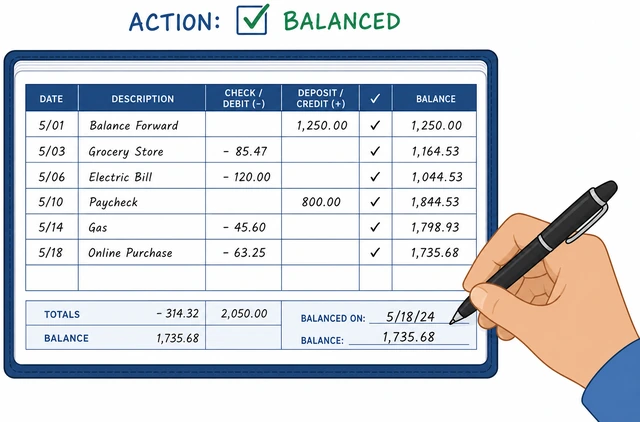
A dated mark prevents re-reconciling the same chaos next month.
- Write Balanced and today’s date.
- File/download the statement PDF.
- Start new transactions below that mark.
Period is closed and marked balanced.
Will not balanceDifference is still not zero after one careful pass.
Write the exact difference and ask if it matches a single fee or check amount.
Note exact difference · match to one fee/check?
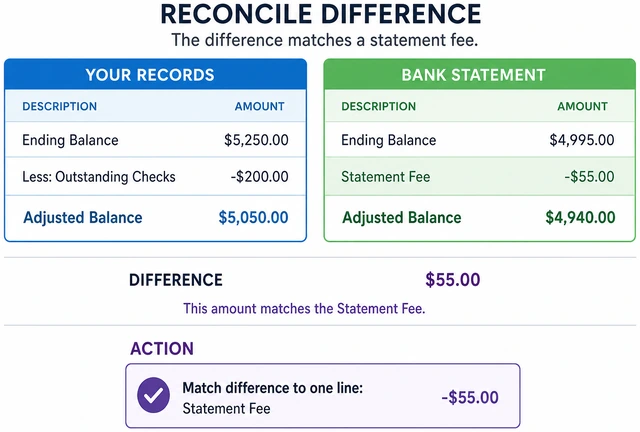
A difference that equals one line is usually that missing line.
- Write Difference = $X.
- Scan statement for $X.
- Enter it if missing.
You checked whether $X is a single missing item.
Check for transposed digits (27 vs 72) in recent register entries.
Hunt transposed digits in recent entries.
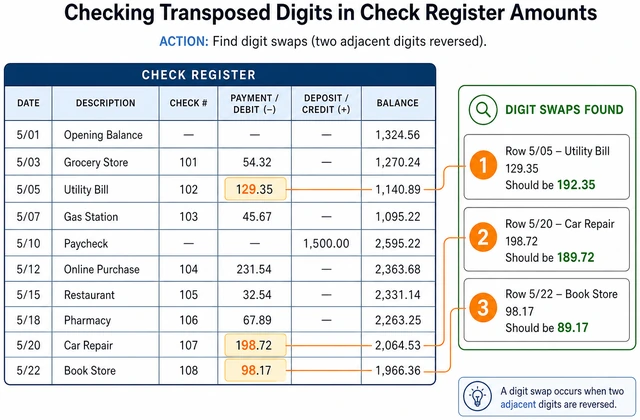
Digit swaps create stubborn wrong balances with “almost right” totals.
- Compare last 10 entries to statement.
- Fix any swap.
- Recompute.
Recent amounts rechecked.
Re-total outstanding lists on paper — do not trust a rushed mental sum.
Re-add outstanding lists with calculator.
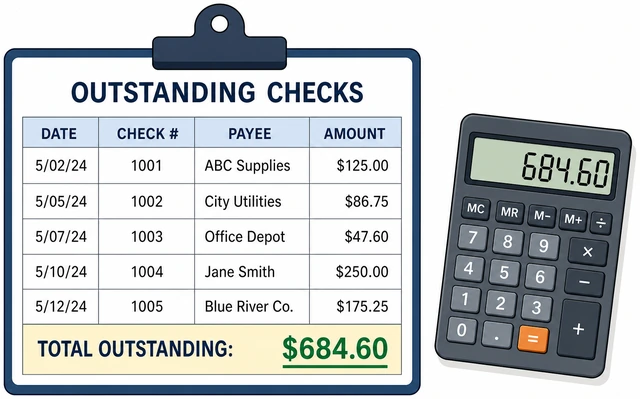
Outstanding math errors fake a register problem.
- Re-add deposits.
- Re-add checks.
- Update adjusted statement.
Outstanding totals recomputed.
Verify you used statement ending balance, not available or current balance.
Confirm you used statement ending balance.
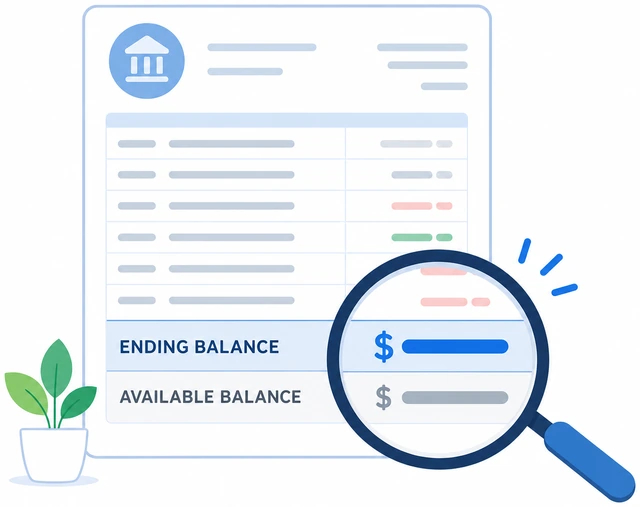
Available balance excludes pending items differently and breaks the formula.
- Return to statement PDF.
- Copy Ending again.
- Restart worksheet if needed.
Correct ending balance is in use.
After two full passes, contact the bank with the statement period and difference amount.
Two failed passes · contact bank with period + $ difference.
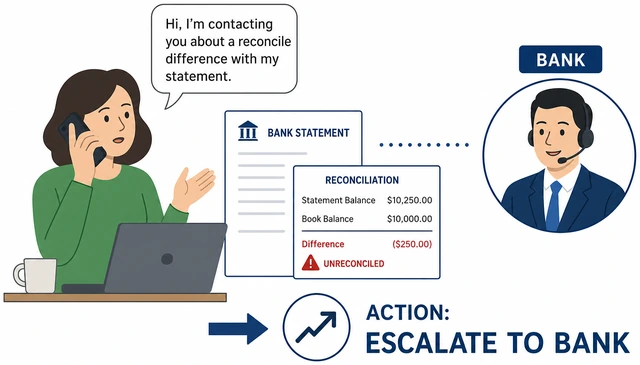
Persistent gaps can be bank posting errors — rare but real.
- Note period dates.
- Note difference.
- Chat/call with statement open.
You escalated with specifics or you balanced.
Lost or stale checkA check has been outstanding for a long time (often 60+ days).
Confirm with the payee whether they received and deposited the check.
Ask payee if the check arrived / cleared.
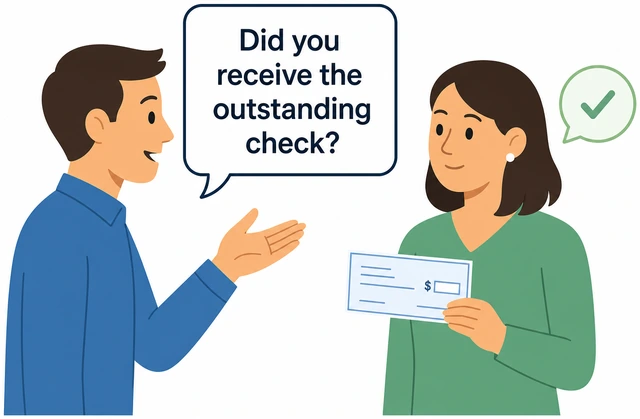
Many “lost” checks are sitting in someone’s drawer.
- Call or email payee.
- Note check number and amount.
- Ask if they will deposit soon.
You know payee status.
If it is lost, ask the bank about stop payment and fees before voiding in your register.
Consider stop pay · learn the fee · then decide.
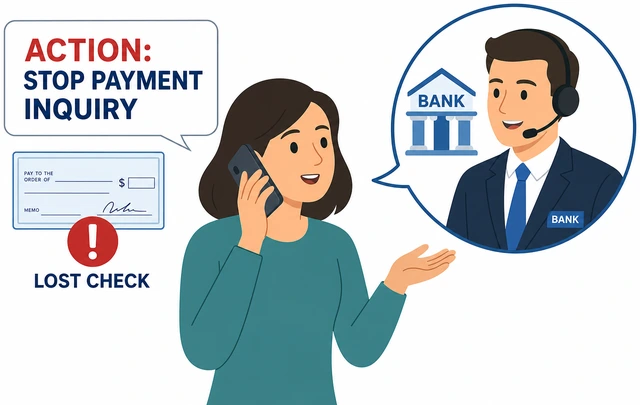
Voiding alone does not stop a check that later appears.
- Call bank stop-pay options.
- Note fee.
- Decide stop vs wait.
Stop-pay decision is made.
Void the check in your register and add a clear memo.
Void in register · memo why.
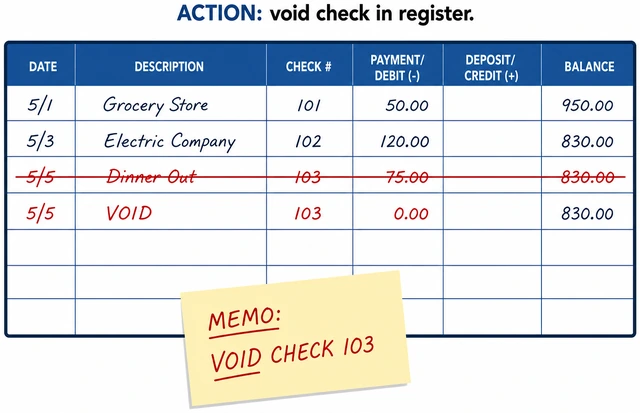
Leaving it outstanding forever permanently skews reconciles.
- Mark VOID.
- Memo lost/stop-pay.
- Adjust balance if you had subtracted it.
Register no longer treats it as outstanding.
If you still owe the payee, write a new check or pay another way and record it fresh.
Pay again a new way · record new transaction.
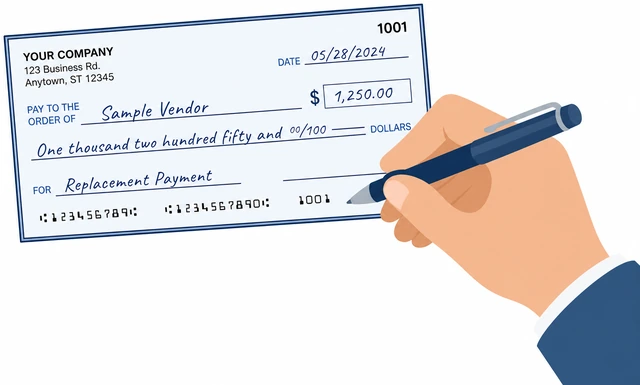
Voiding does not erase the bill you still owe.
- New payment method.
- New register line.
- Keep old void visible.
Obligation is paid or scheduled.
If you suspect fraud (check you did not write), call the bank immediately.
Fraud suspicion · call bank now.
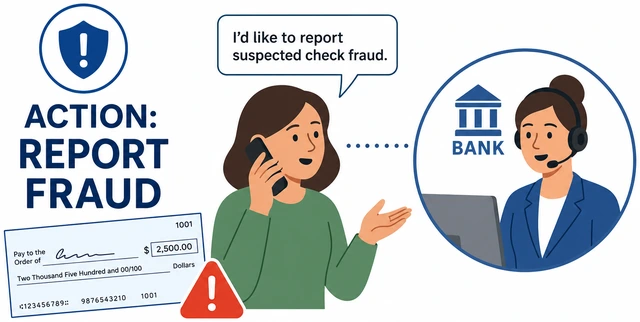
Time limits on check fraud claims are strict.
- Call bank fraud line.
- Freeze if advised.
- Follow their affidavit steps.
Bank fraud process started if needed.
App-only registerYou track spending in a bank app or spreadsheet, not a paper checkbook.
Export or open the same date range as the statement in your app/CSV.
Match statement date range in app/CSV.
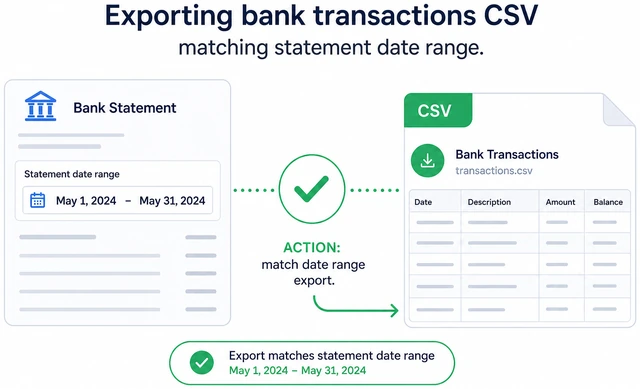
Mismatched date windows guarantee fake differences.
- Set start/end to statement period.
- Download CSV if helpful.
- Keep statement open.
Date ranges match.
Use the app’s reconcile or “cleared” flags the same way as checkmarks.
Mark cleared items like paper checkmarks.
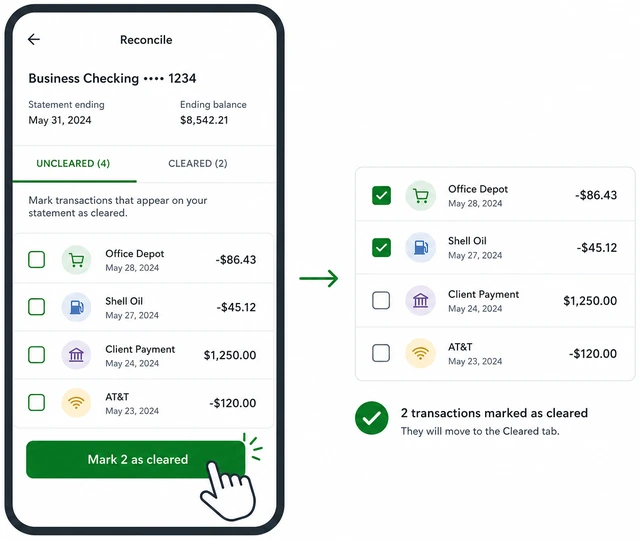
Without cleared flags you will double-count.
- Toggle cleared on matched lines.
- Enter missing fees.
- Note uncleared.
Cleared vs uncleared is visible.
If the app has no running balance, make a simple spreadsheet register (date, payee, −/+, balance).
Build a simple running-balance sheet if needed.
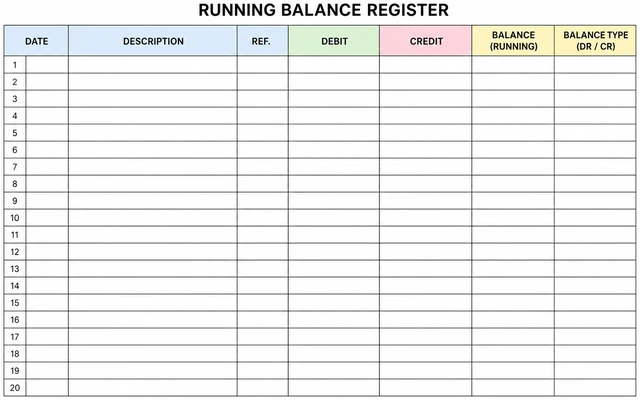
You cannot reconcile without a book balance to compare.
- Columns: date, payee, out, in, balance.
- Enter statement opening.
- Add transactions in order.
You have a running balance to compare.
Return to main path Step 4 with outstanding = uncleared items.
Uncleared = outstanding · resume main formula.
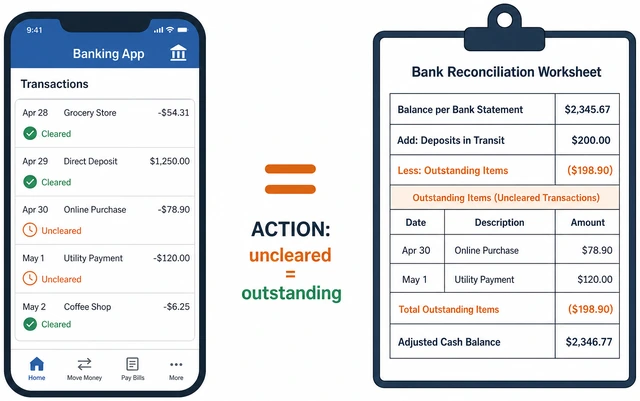
Same math works for apps and paper.
- List uncleared deposits.
- List uncleared debits.
- Continue Steps 6–9.
You are back on the main reconcile math.
Save a PDF of the balanced period for your records.
Save statement PDF + note balanced date.
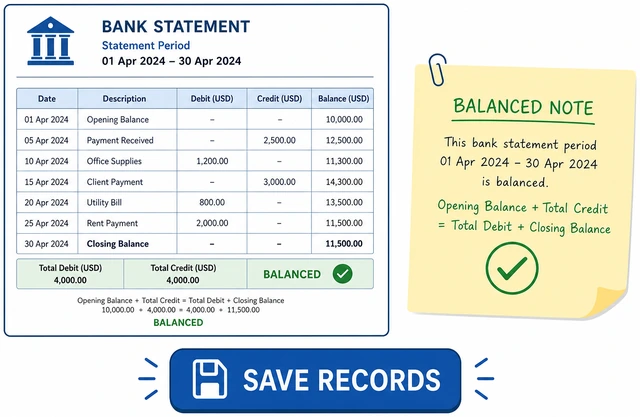
Apps reshuffle history; your PDF is the audit trail.
- Download statement.
- Note balanced date in app memo.
- Done.
Records are saved.
When This Doesn't Work
- You’re always off by the same fee — Enter that monthly fee (or subscription) as a recurring register item so it is never forgotten again.
- Your partner writes checks you don’t see — Agree on one shared register or weekly photo of check stubs before reconcile day.
- Online-only bank with no “statement feel” — Download the monthly statement PDF anyway — the ending balance line is what the formula needs.
Warnings
- Do not use Available balance as your statement ending balance.
- Voiding a check in your register does not stop payment at the bank by itself.
- Suspect fraud? Call the bank before you keep reconciling.
Tips
- Highlight as you go — Highlight statement lines as you tick the register so you never double-count.
FAQ
How often should I balance?
Monthly when the statement closes is enough for most people. Weekly helps if you write many checks.
Is this outdated if I don’t use paper checks?
No — the same reconcile math applies to debit cards and apps. “Checkbook” here means your running record of the account.
Comments
Questions, corrections, and what worked for you. Comments are reviewed before they appear.